Build
Write the checklist once.
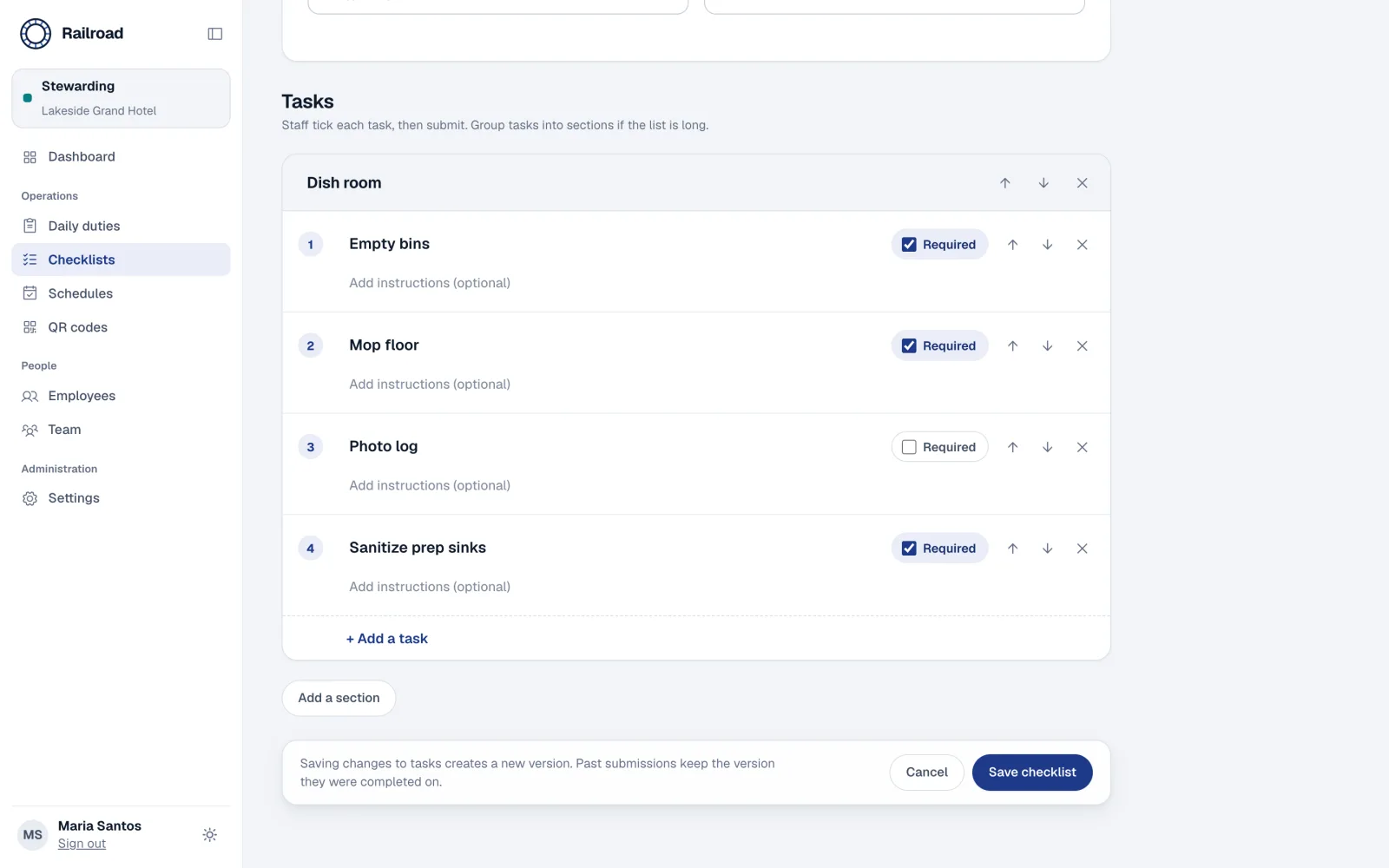
Mark required tasks, group them into sections and schedule when each duty is due. Every edit creates a new version, so past reports stay true to what staff saw.
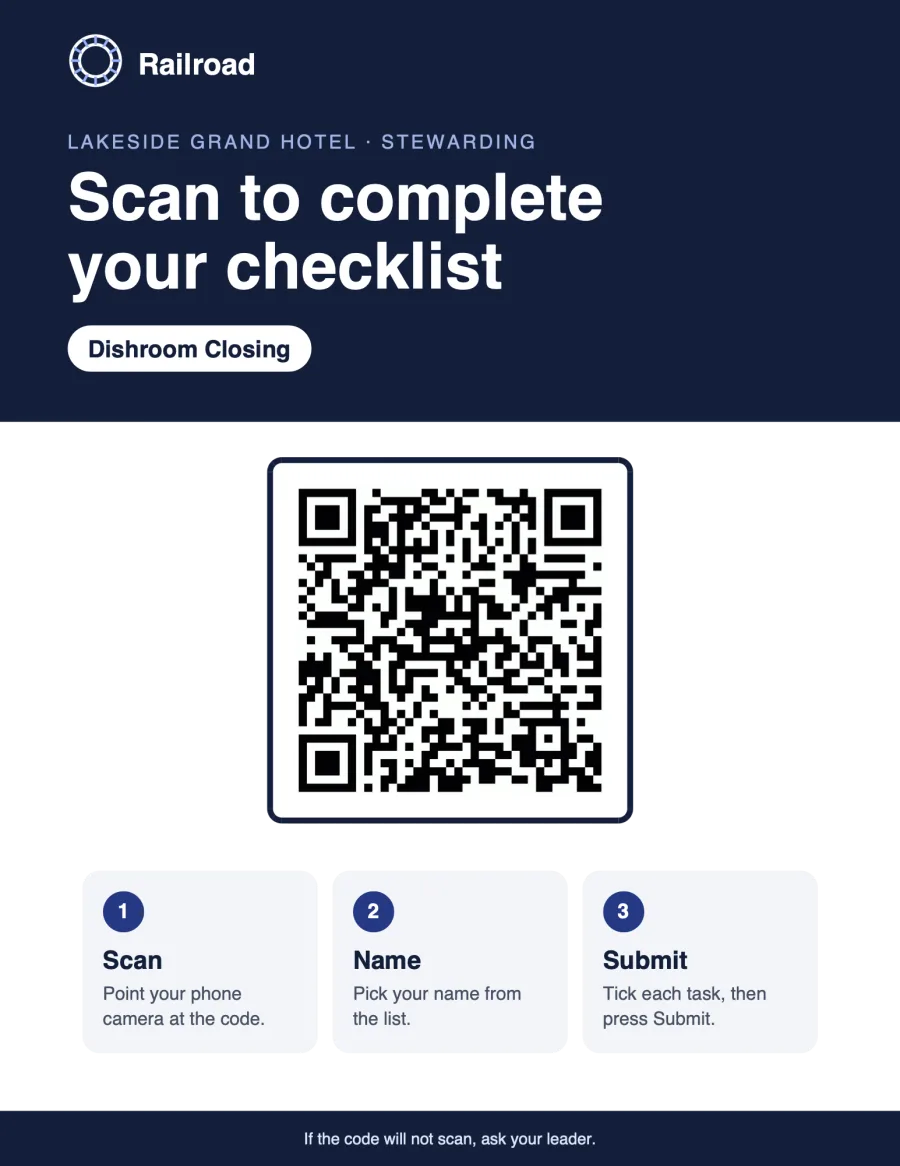
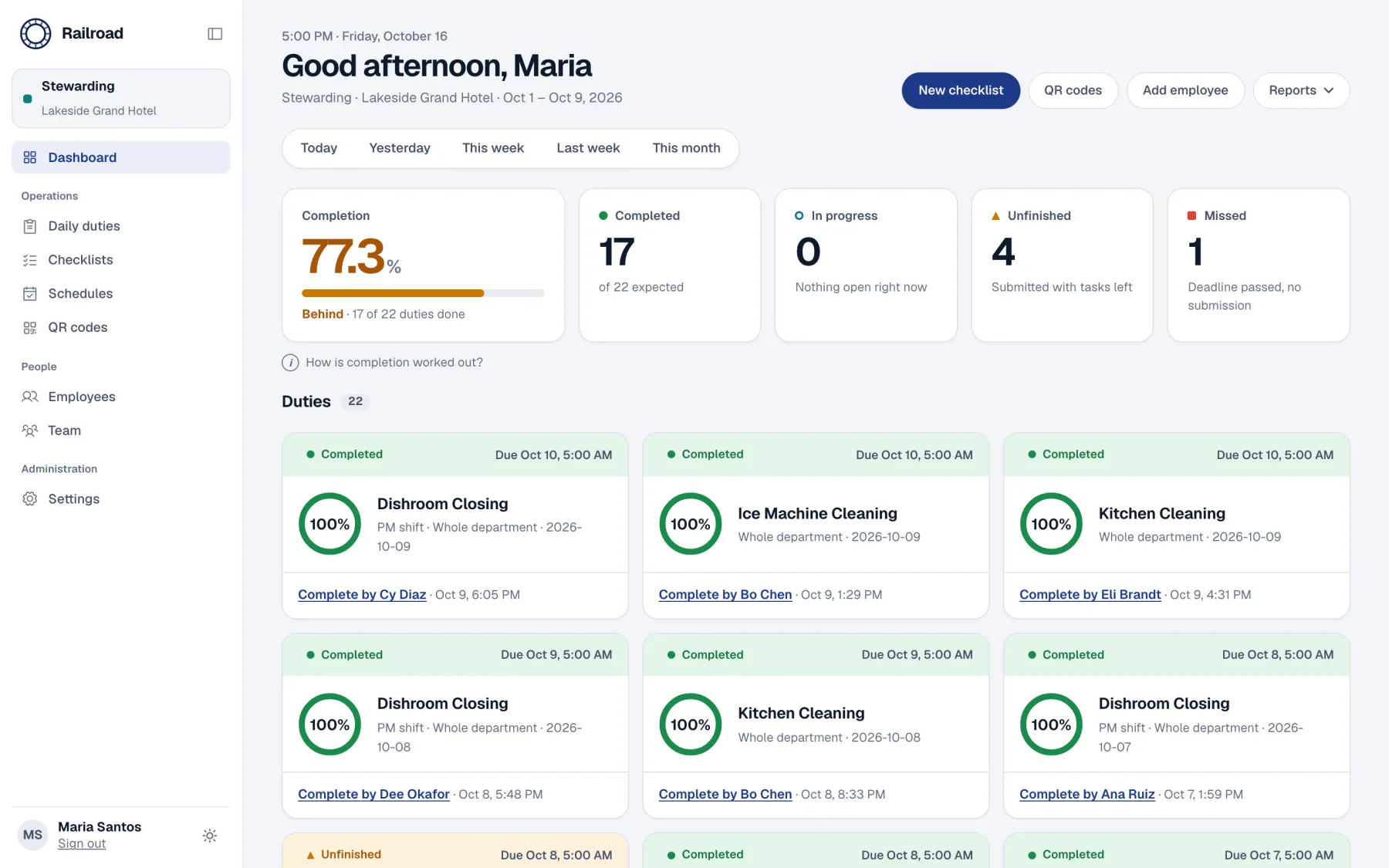
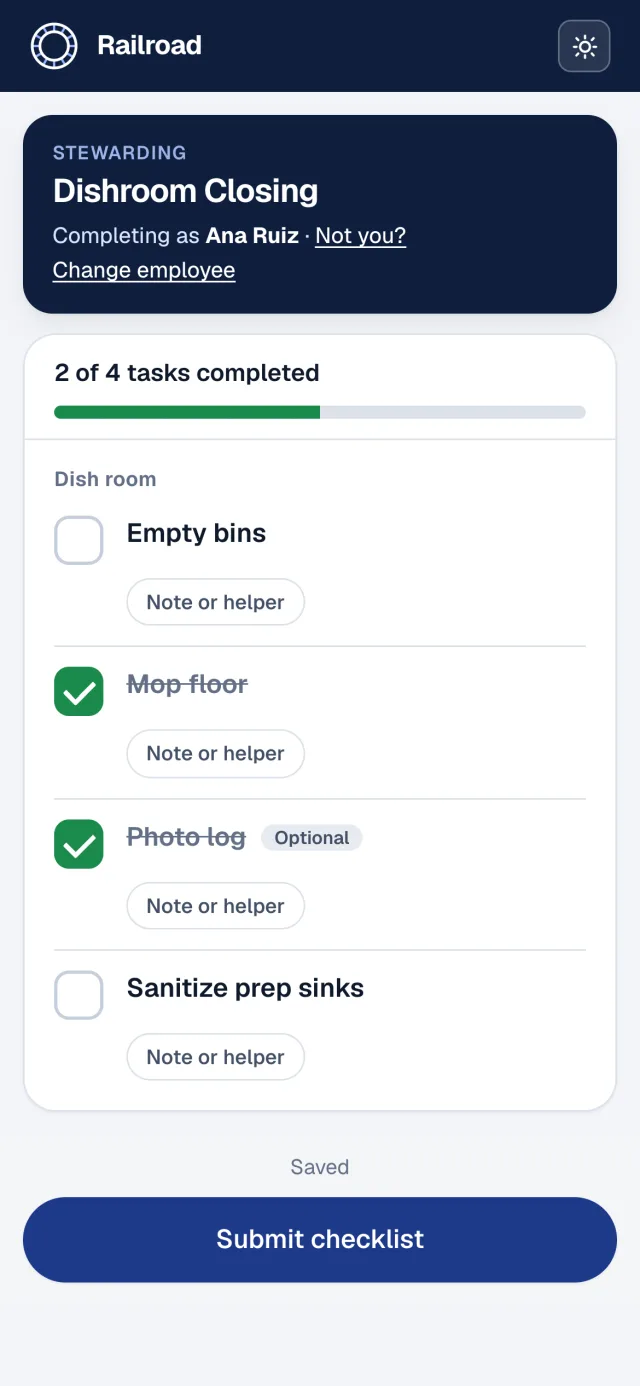
Staff scan a poster and tick tasks on their phone. You see what was done, what was missed, and by whom.
Demo data from a sample hotel.
Sheets go missing between shifts.
Every duty is stored with who did it, when, and each attempt along the way.
A tick does not say who made it.
Staff pick their own name first. Helpers are named, never given the credit.
You find out what was missed days later.
Statuses update through the day. A duty is never missed before its deadline.
Night shifts break the date.
A business day cutoff, 05:00 by default, keeps a 2 AM closing task on the right day.
Nobody wants another account.
A QR poster is the front door. Scan, choose your name, tick. Under a minute.
Monthly reports are rebuilt by hand.
Completion rates by employee and by day, exported as a clean PDF.
Write the checklist once.
Mark required tasks, group them into sections and schedule when each duty is due. Every edit creates a new version, so past reports stay true to what staff saw.
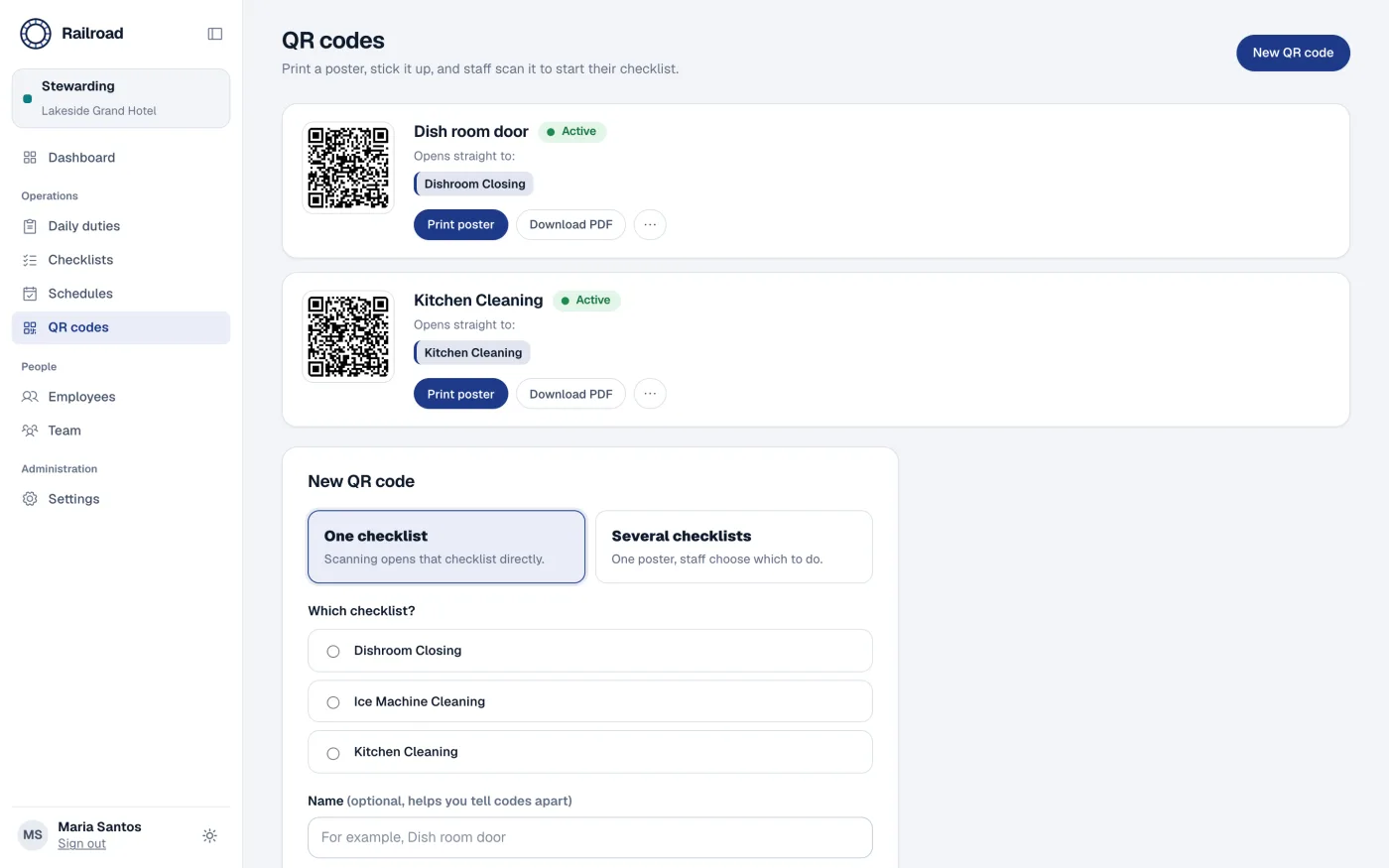
Put a poster on the wall.
Every checklist gets its own QR code and a ready-to-print poster. A department's code can only ever open that department's checklists.
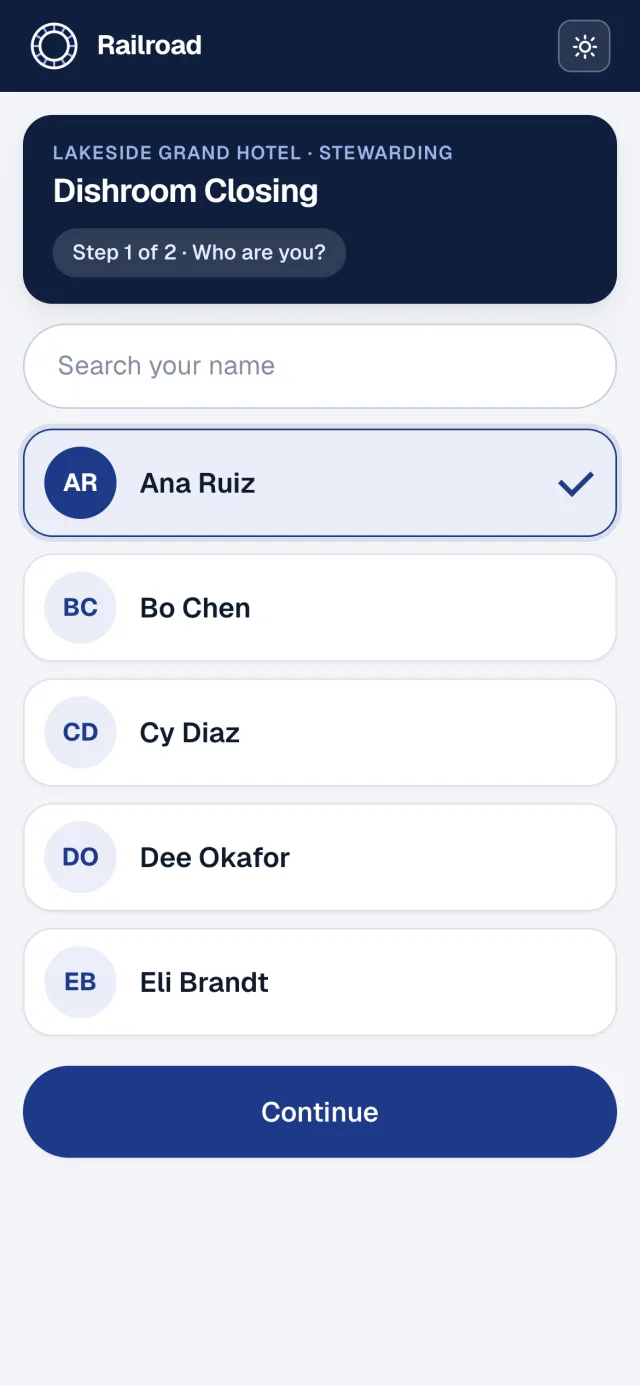
Staff tick tasks on their phone.
No login. Pick your name, tick tasks, add a note or name a helper, then submit. Save and finish later when the shift gets busy.
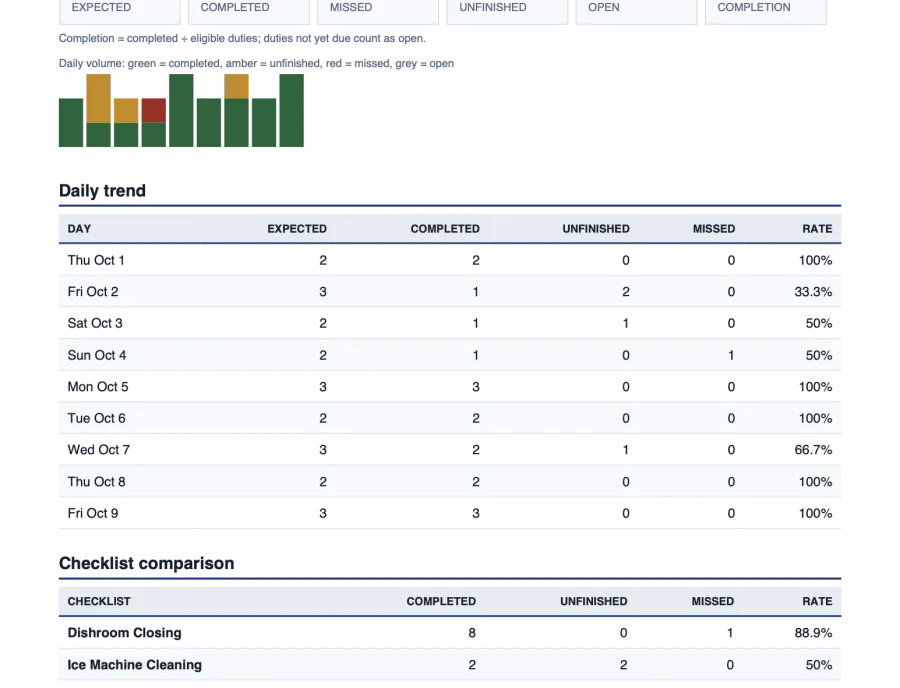
See the day in seconds.
Completed, unfinished and missed duties by day, week or month. Tap a count to see who is behind it, then send the PDF to leadership.
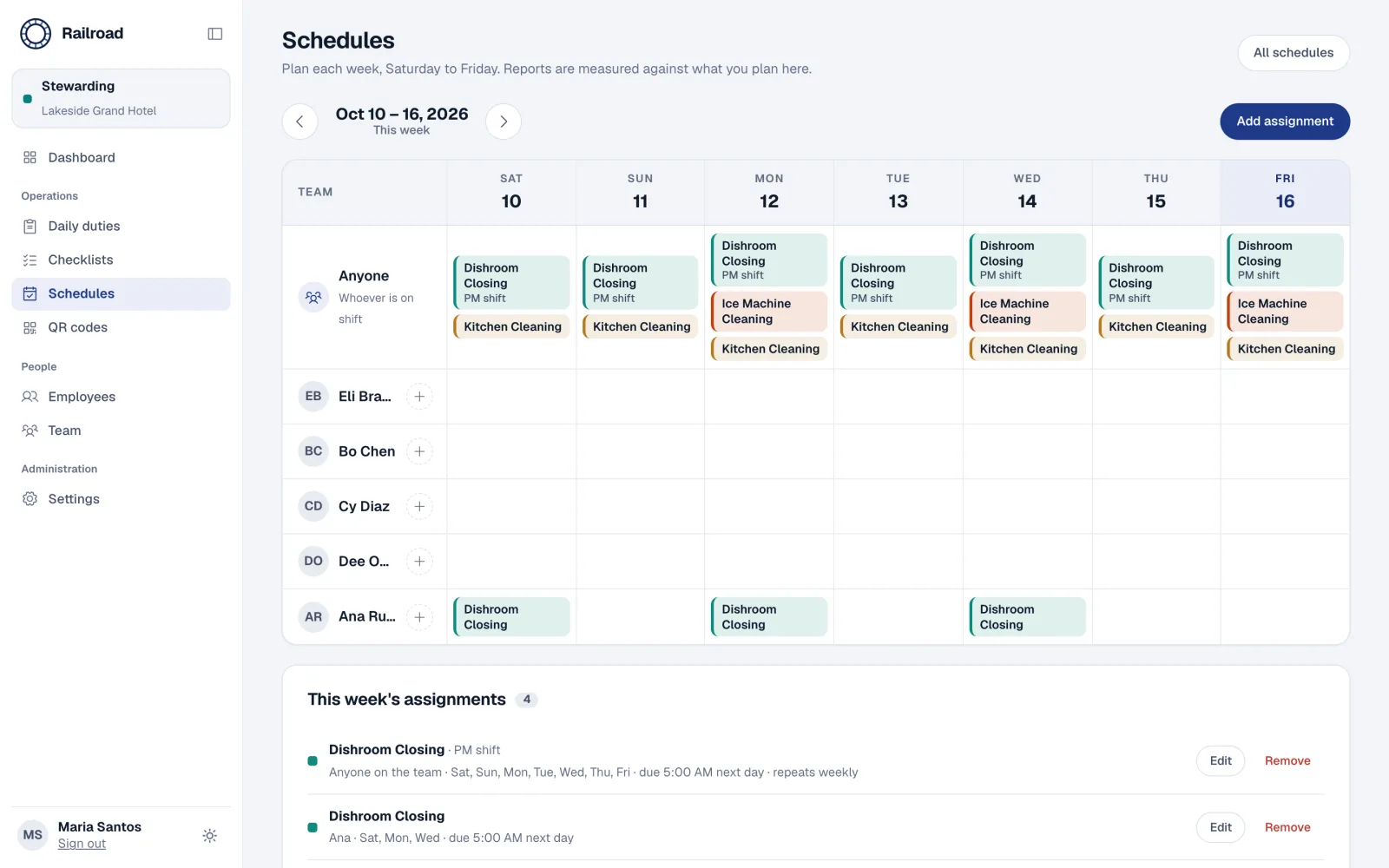
Plan Saturday to Friday for the whole shift or by person. Reports are measured against the plan you set.
Stewarding never sees housekeeping. People, checklists, codes and reports stay inside their department.
Duties, submissions, tasks and assistance are never mixed into one number. Helpers get no completion credit.
Two-step sign-in, rate limiting, strict browser security headers and an audit log of administrative changes.
Regenerate a QR code and the old poster stops working, with a clear message for anyone who scans it.
Invite admins, managers and learning coaches by email. Each role sees and changes only what it should.
A moment before the cutoff belongs to the previous business day. Drag the time and watch where a duty lands.
Scan, tap a name, tick tasks, submit. No account, no password, no training.
Build checklists, print posters, follow the day and send reports from a desktop or tablet.
Create hotels and departments, support teams and keep an audit trail across the installation.
Sign in to build your first checklist and print its poster today.
This is a public demo with a fictional hotel.